
Signs Your Phone Needs a Professional Cleaning | Logitium
Recognizing the Critical Signs Your Phone Needs a Professional Cleaning
In the modern age, our smartphones are more than just communication tools; they are extensions of our professional and personal lives. We carry them everywhere—from the office to the gym, and into environments filled with dust, lint, and microscopic debris. Over time, these contaminants find their way into the most sensitive areas of your device. While many users focus on software updates and battery health, the physical cleanliness of a device is often overlooked until something goes wrong. Understanding the signs your phone needs a professional cleaning is essential for maintaining the longevity and performance of your hardware.
At Logitium in Robbinsdale, MN, we see devices daily that exhibit symptoms of hardware failure, only to find that the root cause is a buildup of environmental debris. From charging ports that no longer click to speakers that sound like they are underwater, physical obstruction is a leading cause of preventable repairs. This guide explores the indicators that it is time to move beyond a simple wipe-down and seek professional intervention to protect your investment.
The Invisible Threat: How Debris Compromises Hardware
Before diving into the specific symptoms, it is important to understand why debris is such a significant threat to modern electronics. Smartphones are designed with tight tolerances. Manufacturers like Apple and Samsung use microscopic gaskets and meshes to keep out moisture and dust, but these barriers are not invincible. Fine particles can bypass seals, especially as a device ages and the adhesive components degrade. When dust enters a charging port or speaker grille, it does not just sit there; it becomes compacted every time you plug in a cable or handle the phone. This compaction creates a solid mass that can bend pins, trap heat, or even attract moisture, leading to internal corrosion.
By following expert electronics repair tips, users can often identify these issues early. However, once debris has been compacted into a port or deep within a speaker mesh, the risk of causing damage during a DIY cleaning attempt increases significantly.
1. Inconsistent Charging and Loose Connections
One of the most frequent signs your phone needs a professional cleaning is a finicky charging port. You might notice that your phone only charges when the cable is held at a specific angle, or perhaps the charging cable no longer "clicks" into place securely. This is rarely a software issue; it is almost always a physical obstruction.
The Compaction Cycle
Every time you put your phone in your pocket, lint enters the USB-C or Lightning port. When you plug in your charger, you aren't just connecting your phone; you are pushing that lint to the back of the port. Over weeks and months, this lint becomes a hard, felt-like layer. This layer prevents the metal contacts on the cable from fully seating against the pins in the phone. If the connection is weak, the phone may charge slowly or not at all.
Risks of DIY Port Cleaning
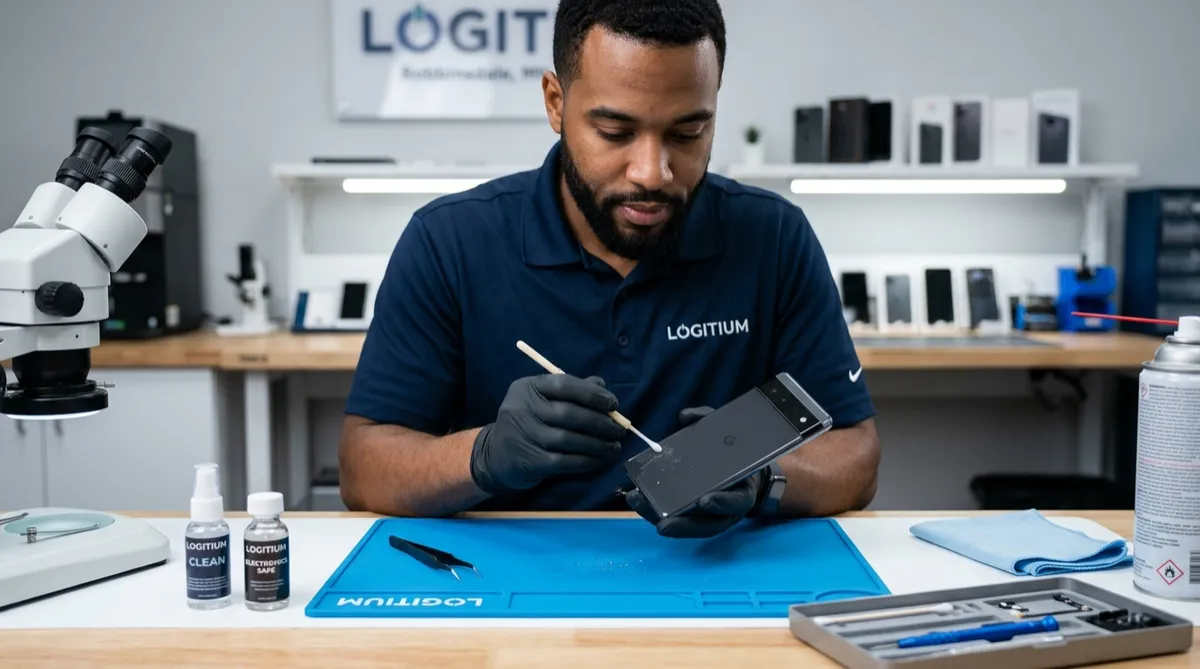
Many users attempt to clean their ports using toothpicks, safety pins, or paperclips. This is extremely dangerous for the device. A single slip can bend a pin or short-circuit the charging assembly. At Logitium, we use ESD-safe (electrostatic discharge) tools and high-magnification microscopes to remove this debris without touching the sensitive pins, ensuring the port remains functional.
2. Muffled Audio or Distorted Sound Quality
If you find yourself constantly using speakerphone because the earpiece is too quiet, or if your music sounds tinny and distorted, your speaker grilles are likely clogged. These grilles are made of a very fine mesh designed to let sound out while keeping debris out. Unfortunately, skin oils, makeup, and dust combine to create a sticky film over these holes.
Microphone Obstruction
Similarly, if people complain they cannot hear you clearly, the tiny microphone holes at the bottom of your device may be blocked. Because these openings are so small, even a tiny amount of wax or pocket debris can act as a sound muffler. A professional cleaning uses specialized solvents and precision suction to clear these meshes without pushing the debris deeper into the speaker housing, which is a common mistake made with compressed air.
3. Physical Button Responsiveness
While many modern phones have moved toward haptic buttons, many still rely on physical volume rockers and power buttons. If your buttons feel "mushy," sticky, or require excessive force to register a click, there is likely a buildup of debris around the button housing. In some cases, spilled liquids—even if they didn't cause a short—can dry into a sugary or sticky residue that prevents the button from returning to its neutral position. Professional cleaning involves localized application of isopropyl alcohol and precision mechanical cleaning to restore that tactile "click" without needing to replace the entire button flex cable.
4. Excessive Heat and Thermal Throttling
While smartphones are passively cooled, they still rely on the exterior casing and internal air gaps to dissipate heat. If your phone feels hot to the touch even during light tasks like browsing the web, it could be a sign of internal dust buildup. Dust acts as an insulator, trapping heat around the processor and battery. When a phone cannot shed heat, the software will automatically slow down the processor (thermal throttling) to prevent damage, leading to lag and poor performance. A thorough internal cleaning and inspection can often resolve these temperature spikes.
Comparison: Professional vs. DIY Cleaning
| Feature | DIY Cleaning | Professional Cleaning (Logitium) |
|---|---|---|
| Tools Used | Toothpicks, compressed air, cloth | Microscopes, ESD-safe tools, ultrasonic cleaners |
| Risk Level | High (Port damage, screen scratching) | Zero to Minimal |
| Depth of Clean | Surface level only | Component-level and deep-mesh extraction |
| Effectiveness | Temporary; often pushes debris deeper | Restores original hardware functionality |
5. Clouded Camera Lenses and Blurred Photos
If your photos look hazy or have strange light flares even after you've wiped the exterior glass, there may be dust or moisture trapped *under* the lens cover. This often happens if the adhesive seal around the camera module has weakened. Simple external cleaning won't fix this. A professional technician can safely open the device in a controlled environment to clean the internal lens and reseal the unit, restoring your photo quality to factory standards.
The Logitium Professional Cleaning Methodology
When you bring a device to our Robbinsdale location, we don't just use a brush and some air. Our process is designed to protect the delicate electronics while ensuring every particle of debris is removed. As a leading source for Electronics Repair Blog | Tips & Guides, we advocate for a structured approach:
- Diagnostic Inspection: We use high-power magnification to identify exactly where the blockage is and check for any signs of corrosion or pin damage.
- Dry Extraction: Using specialized fine-tipped ESD-safe tweezers, we remove compacted lint from ports.
- Solvent Cleaning: For sticky residue or speaker grilles, we use high-purity (99%) isopropyl alcohol and precision brushes to dissolve oils.
- Vacuum Extraction: Rather than blowing air *into* the phone (which can damage mic membranes), we use micro-vacuums to pull debris out.
- Functionality Testing: We verify that the charging current is stable and that audio decibel levels are within factory ranges.
When Does "Cleaning" Become "Repair"?
It is vital to recognize when the signs your phone needs a professional cleaning have transitioned into a need for component-level repair. If a charging port has been used for too long with debris inside, the pins may have been bent or the gold plating worn away. In these cases, cleaning won't restore the connection, and a port replacement is necessary. This is why we recommend regular maintenance; removing debris early prevents the mechanical wear that leads to expensive hardware replacements.
Preventative Maintenance: How to Keep Your Phone Clean
While professional cleaning is the only way to safely remove deep-seated debris, you can extend the time between visits with these habits:
- Use Port Covers: If you work in a high-dust environment (construction, woodworking, etc.), use a case with integrated port flaps.
- Avoid Canned Air: Never blast compressed air directly into speakers or microphones. The pressure can rupture the delicate waterproof membranes.
- Dry Microfiber Only: Use a clean microfiber cloth for daily screen and body wipes. Avoid household chemicals which can strip the oleophobic (oil-repellent) coating from your screen.
Frequently Asked Questions
Is it safe to use a needle to clean my charging port?
No. Using a metal needle or safety pin is one of the most common ways users kill their devices. Metal conducts electricity and can short-circuit the charging pins even if the phone is off. Furthermore, the sharp tip can easily scrape the gold contacts, leading to permanent connectivity issues.
How often should I have my phone professionally cleaned?
For most users, a professional deep-clean once a year is sufficient. However, if you work in an environment with lots of lint (like clothing retail) or dust (like a workshop), you may need a cleaning every six months to ensure port and audio longevity.
Can a professional cleaning fix a phone that was dropped in water?
A cleaning is part of the liquid damage recovery process. After a spill, minerals and contaminants stay behind even after the water evaporates. A professional cleaning using an ultrasonic bath and specialized chemicals is necessary to remove these corrosive elements before they eat through the logic board circuitry.
Conclusion: Protect Your Device with Logitium
Ignoring the signs your phone needs a professional cleaning can lead to frustrating performance issues and eventually, total hardware failure. What starts as a muffled speaker can result in missed calls and lost business; what starts as a loose charger can leave you stranded with a dead battery. At Logitium, we specialize in the precision care and component-level repair that keeps Robbinsdale's devices running smoothly.
If your phone is showing any of the symptoms mentioned above, don't risk a DIY fix that could lead to a permanent break. Visit our experts at Logitium for a professional assessment and cleaning. Let us help you extend the life of your technology with the precision and care it deserves. Check out our Electronics Repair Blog for more insights on maintaining your devices and troubleshooting common hardware issues.